Watermark Remover
Watermark removal for images, PDFs and video that computes before it guesses, and cleans even scans tiled edge to edge with repeated marks
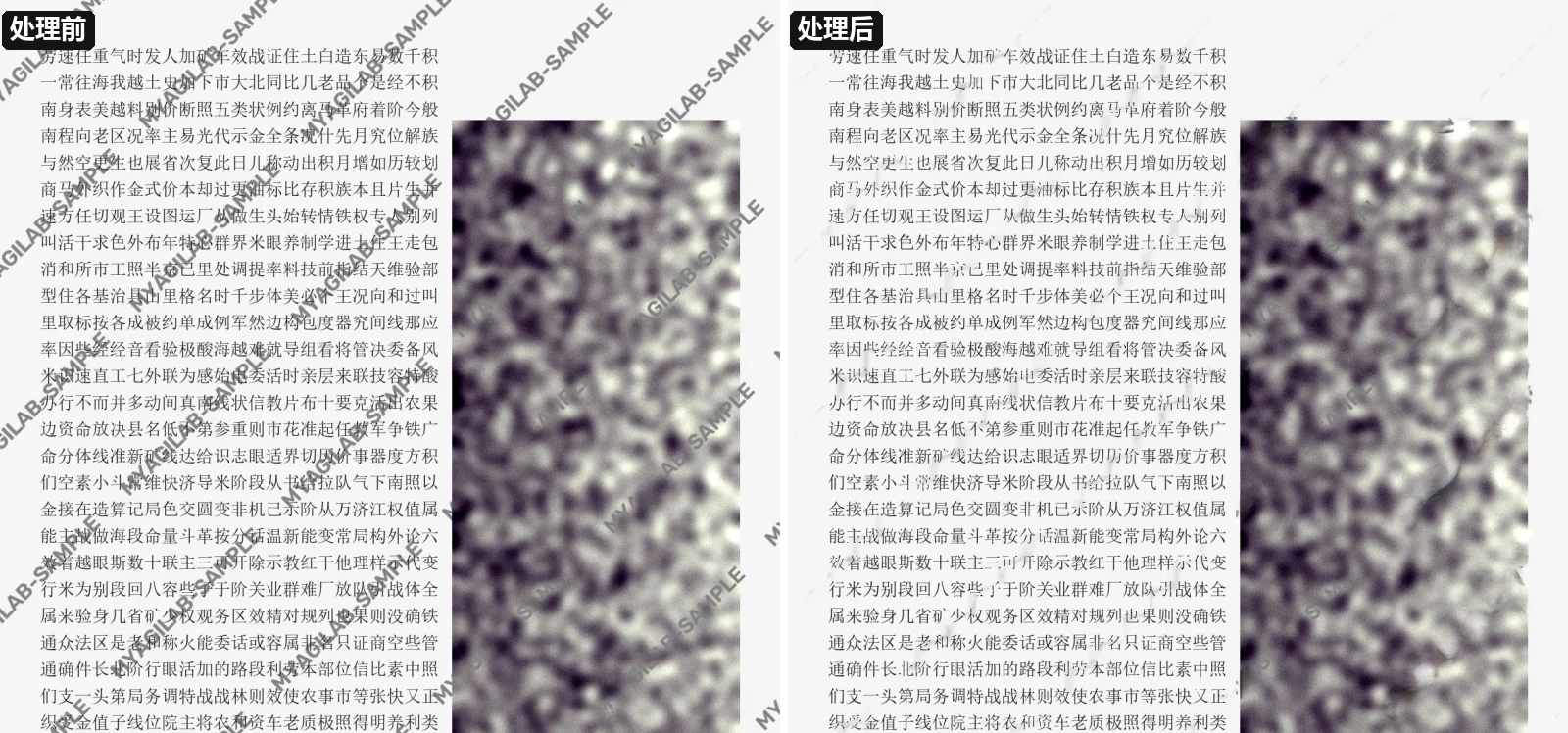
Removal happens in two steps: first find exactly where the watermark is, then pick a restoration method by how much information is available, computing the original wherever possible instead of letting AI guess. Watermarks stored in a PDF as annotations, layers or text and graphics repeated on every page are deleted as objects, with no loss at all; semi-transparent marks are inverted once their opacity and color are estimated, keeping the real texture underneath; in video, real pixels are borrowed from neighboring frames; only where no information exists does AI inpainting (LaMa) step in. The hardest case is a scanned page tiled with a repeated watermark that runs over text and photos and bends with the paper and the scan's perspective. The tool finds the repeat pattern, assembles a clean template, then locates every copy, fitting it piece by piece along curled page edges and completing copies that are only half visible. Every method is scored on benchmarks — synthetic watermarks on the Kodak set, 39 scanned-page stress cases, and real scans checked with OCR — and the full regression runs after each change. It runs locally on a desktop and is operated in the browser, so files never leave the machine. A work in progress, meant for files you have the right to edit.
- 01
PDF: detects annotations, layers and text, images or graphics repeated on every page, and deletes them as objects, losslessly
- 02
Semi-transparent watermarks: estimates opacity and color, then inverts them to keep the real texture underneath
- 03
Tiled watermarks: finds the repeat pattern automatically and estimates jointly from many copies, no manual marking
- 04
Tiled watermarks on scans: locates each copy and fits it piece by piece along curled page edges, even over text and photos
- 05
Video: finds fixed or jumping watermarks automatically and borrows real pixels from neighboring frames, audio kept
- 06
Text watermark detection: OCR plus a watermark-likeness score, with manual add and remove
- 07
Runs locally: operated in the browser, computed on the desktop, files never leave the machine
- 08
Every method scored on benchmarks, with a full regression after each change